










In 2018, Tilda added many new features and blocks. A built-in CRM system, Zero Block updates, advanced animation, new fields in forms, tests and quizzes, advanced site stats, and collaborative site editing are just some of the highlights from last year. Let's look back at the most outstanding new features.


A free CRM system with all the functions you need, built into Tilda. Start using it straight away – no training required – as it's extremely easy to use.
Add comments to leads directly in Tilda CRM.


Leads and customer analytics plus buitl-in statistics.
Table and card views are available for easy data handling. Simply drag and drop the card into the right column.
Referral traffic stats.
Add colleagues and grant them full or limited access rights.

CRM is built into Tilda and it is free.
Visual dashboard.
Leave comments to client's order.
Easy to edit with drag-and-drop.
Number of visits and page views per user.
Send your contacts simple or HTML emails directly from CRM.
Number of leads per user in statistics.
Add colleagues to your project for free.
Create your contacts database automatically or manually.
Download your contacts list in .csv format.


Rulers
Autosave
YouTube and Vimeo player
Tooltip for displaying information
Send data forms
HTML block for adding custom code
Animation in Zero block
Layers


720px
Zero Block updates


Hide, block or pull layers up or down relative to one another. The layer panel opens when you use a Tab button.
Add guides by using Ctrl+H or Ctrl+Shift+H
No need to worry about accidentally losing your content. Zero Block will restore the last saved version of your website when you re-open the editor.
Add the player by clicking "+" in the upper left corner of the web editor. Customize the autoplay, turn off sound, loop the video, add a background image or a shadow under the player, and much more.
A tooltip will help to highlight elements on a page and provide more information about them. Add text and an image to your tooltip.
Add your own content by using this block.
Add a vertical or horizontal form in Zero Block.
Step-by-step animation in Zero block.
Youtube
Vimeo


Form, video player, the option of adding the HTML code and more – we've added a host of features to the Zero Block library.
Elements and widgets
Premium leather and textile upper with VELCRO brand fastener at ankle
Solid rubber outsole for traction and durability
Animation in Zero Block
It's a big fat exciting update. We've added two types of animation for all Zero blocks:
Basic animation
This type of animation doesn't require complex settings. Apply a preset effect and even make small changes to it, if you wish.
Animating appearance of an element


Fade in from the Left text animation and buttons on the cover with different time delay effects.
Parallax on scroll or mouse movement

Fix an element on screen when scrolling


Use this tool to create complex effects as well as interactive items on the webpage.
How it works
1. Set the EVENT, an action that will trigger the animation.
2. Set the trigger, the place on screen where the animation will start.
3. Change the settings of elements for the next step of your animation.


Step-by-step animation examples




Form in Zero Block
A data form can now be added to Zero Block. Place it anywhere inside the block, make it vertical or horizontal, and change its appearance.
Tell us your information
A roster of design experts and a special order system that helps clients find their Tilda designer. See how this works and give it a go!
If you're a designer
If you're a customer
Your brief is forwarded to the design experts who meet your requirements.
It will take you only 10 minutes to create your portfolio: add completed projects, fill out a form and say what you charge.
Add your portfolio to Tilda Experts and find a client.
Fill out a brief and receive links to portfolio sites of available designers.



Forms updates
Save file attachments in Google Drive, Dropbox or Yandex.Disk. More about file attachments.
Break up a long form into short completion steps.
Add images to forms answer choices.
Create a slider field to allow users to make selections from a range of values.
Make price calculations based on parameters.

Add quiz blocks, votes and tests.


New feature: Calculator
Depending on the product's parameters, it is now easier than ever to calculate its cost on Tilda. Add several parameters and write down the formula for the calculation. More about calculator.
Create a calculator in any vertical form with several fields.
Add quiz blocks, votes and tests
Online tests and quizzes make client engagement more effective and fun. More.
Block BF908 for creating a quiz.


Block BF913 for creating a poll

Block BF918 for a quiz.

Block BF919 for a step-by-step poll

21 new webpage templates
We've updated our collection with many new templates, including educational websites and cultural events. Check out the full templates library.





Collaborators
You can now work on your website as a team. All that project owner needs is to be signed up for one of Tilda's paid plans. More about Collaborators.


Each employee may be given restricted or full access to the website. Set the limits for a restricted access in settings for your site.
Add a new colleague in the Collaborators section in your website settings.
Having a hard time deciding on a suitable color palette? Check out our colors library where you can find and copy our popular colors for your web project.

60+ new blocks added to Tilda library


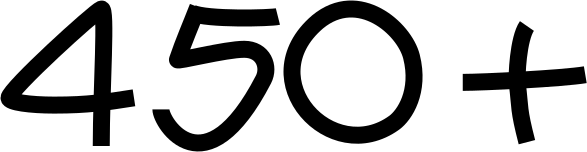
Create a stunning website with more than 450 blocks in our templates library.
New: built-in site statistics
We've expanded built-in statistics so now you can receive more data about your website without any additional settings.
Involvement
How much time people are spending on your page.
How much time people are spending on your page.
Sources
Which channels provide most traffic.
Which channels provide most traffic.
Geography
Top 10 countries where most of your visitors come from.
Top 10 countries where most of your visitors come from.



Free SSL certificate
You may obtain a free SSL certificate for a Tilda website and set up a redirect from http:// to https:// in site settings. More about SSL certificate.

Secure | https://
New features on Tilda
Page password
Will be sent for customers placing an online order or choosing a payment method. More.
Search the website
Display your Instagram feed directly on your website. All updates will be automatically synchronized and shown in relevant connected blocks. More.
Use customizable variables to edit the titles of emails and data forms in Trello, AmoCRM and Bitrix24.
Site visitors can add their donation in a pop-up form. Block BF908, Forms category.
This new impressive animation effect is now available in all basic Tilda blocks.
For when your page is under development or when you need to send your webpage to the client for final approval.
Go to category Other, Block T838. More.
Automatic email alerts
Instagram image feed
Edit the titles of online forms
Charitable giving on website.
Glint button effect



Banks and other services integrations
We now have integrations with MailerLite, Pipedrive, SendPulse, Trello and SendinBlue email marketing services.
Process payments faster thanks to our integrations with the payment systems of these banks: Tinkoff, AlfaBank and Sberbank.


Multiple landing pages
Change content and show more relevant content to the user based on a number of parameters. This is also known as dynamic content. Read more.
Make changes to text or blocks depending on the URL parameters.
Make changes to text or blocks depending on geolocation.
Switch language of your text or blocks.





11 free Icon Sets:

Veterinary medicine
Love themed icons
Military and masculine themed icons
New icons in time for New Year
FinTech
Hotel
Cleaning services
IT companies
Travel
Logistics
Restaurant
Love themed icons
Military and masculine themed icons
New icons in time for New Year
FinTech
Hotel
Cleaning services
IT companies
Travel
Logistics
Restaurant
Dear friends! We've been inspired by you and your projects. Your support means a lot to us. We have big things planned for you in 2019. Thank you for being with us this year!

Click the pic


Create beautiful websites without any code with Tilda


Don't miss our news releases, follow us on social media and Telegram messenger.

